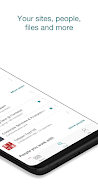
Microsoft SharePoint brings your organization’s intranet to a compact, intelligent mobile app designed for finding content, people, and context while away from your desk. The app uses AI to learn what you work on and to surface relevant sites, documents, and colleagues so you can pick up tasks quickly. With Microsoft SharePoint you can browse team sites and communication hubs, search across files and news, view colleague contact cards, and create updates from your phone. It’s aimed at knowledge workers who need fast access to organizational resources and a personalized view of their work wherever they are.
Core Functions
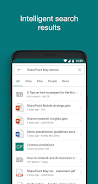
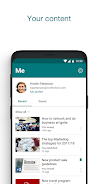
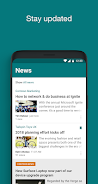
Microsoft SharePoint centralizes access to sites, files, people, and news so you don’t have to search across separate tools. The app’s search helps you discover important content and expertise. Tap a user to open their contact card and see their connections and current work, or jump straight into a team site or communication site to review documents and posts. You can create and publish news posts from the app, keeping teammates informed with reports, status updates, or announcements. Sign-in supports both SharePoint Online and on-premises SharePoint Server (2013 and later), and multiple accounts can be added and switched between.
Key Features
AI-driven relevance: the app builds an understanding of what you work on and surfaces related content and people. Personalized views: a tailored feed of team sites, communication sites, and news posts keeps priority information front and center. Quick discovery: consolidated search helps you locate documents, pages, and colleagues without jumping between apps. Mobile authoring: create and share news posts directly from your device to maintain communication while away from a workstation. Enterprise compatibility: works with SharePoint Online and supported on-premises servers; note that signing in requires your organization to have the appropriate Office 365 or SharePoint Server subscription.
User Experience
The interface focuses on clarity and speed, giving direct access to the content and contacts that matter. AI-backed suggestions reduce time spent hunting for resources, while the personalized site and news views adapt as your priorities change. Navigating between accounts is straightforward, and contact cards provide context about who colleagues work with and what they’re working on—useful for reaching out to subject-matter experts. Creating a news post is simple, enabling short-form reports and updates that keep teams aligned on the move.
Conclusion
For organizations that rely on SharePoint to store knowledge and coordinate work, Microsoft SharePoint offers a lightweight but powerful mobile companion. It streamlines discovery, highlights relevant content through AI, and makes it easy to connect with colleagues or publish updates from anywhere—helpful for staying productive when you’re not at your desk.